Managing your IPSTUDIO Fitness Website is made easy with field based inputs. Simply head over to your website admin and find “Website Settings”
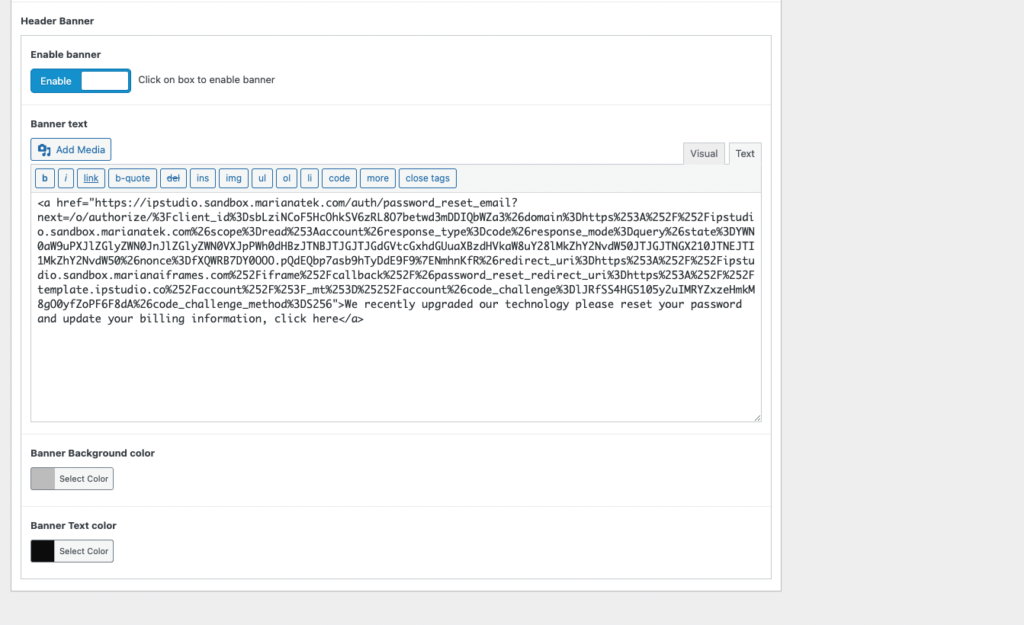
- Login to
yourdomain.com/wp-admin - Click ‘Website Settings‘ > ‘Header’
- Enable or disable banner with the toggle button
- Add banner text and links in the ‘Banner Text’ area
- Select banner background and text color in the ‘Banner Background’ and ‘Banner Text color’ area
When done with your changes hit ‘Update’