Managing Video Order
Videos are organized by date, with the most recent videos appearing first.
To change the order of your videos, there are two options:
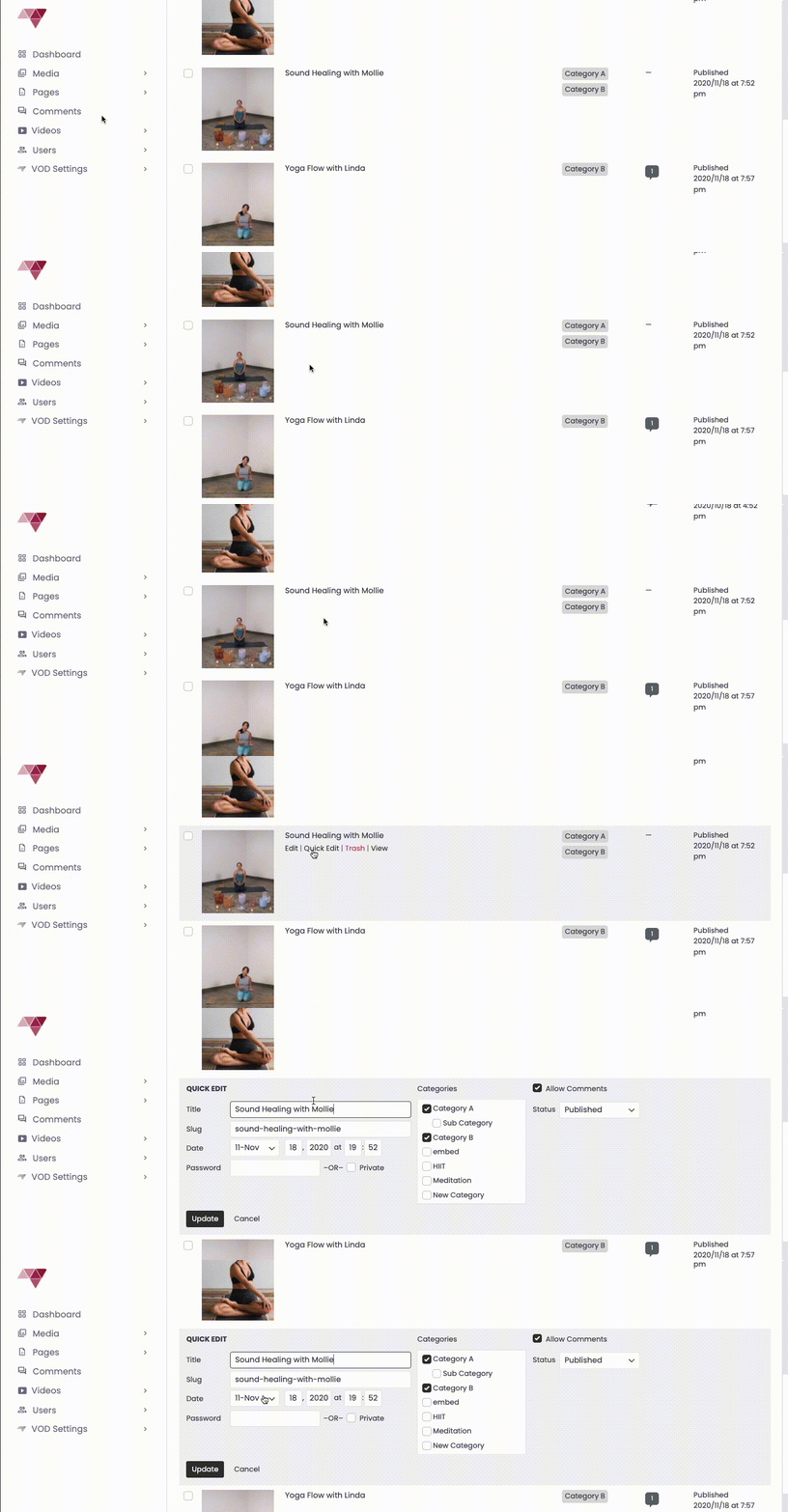
Quick Edit from the Videos Tab:
– Go to the “Videos” tab.
– Select “Quick Edit” for the video you want to update.
– Modify the date to change its order.
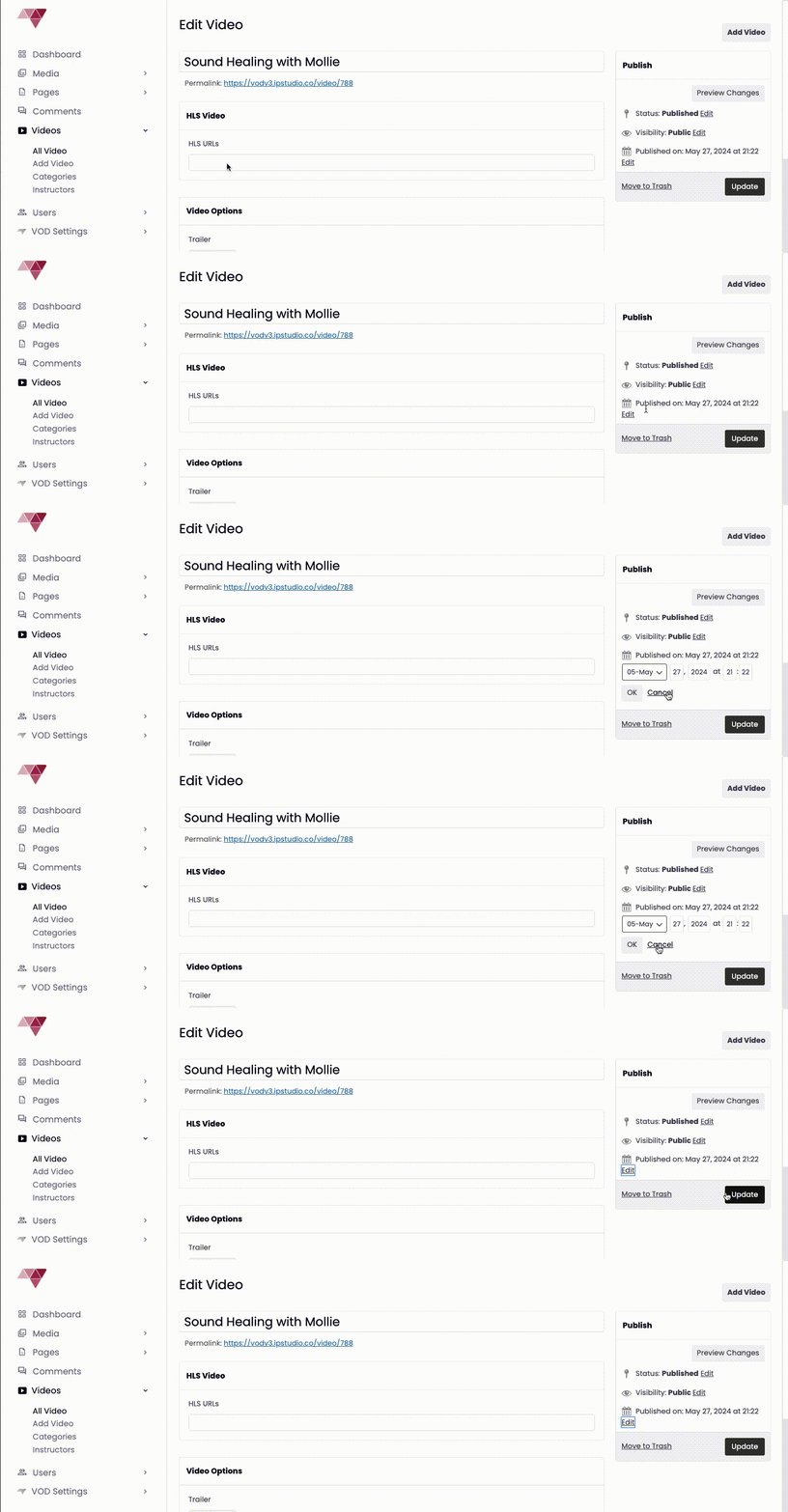
Update the Date on the Video Post Page:
– Navigate to your Video Post Page.
– Go to the “Publish” tab.
– Change the date to adjust the video’s position.
Remember, videos with the most recent dates will appear first in their category