You can update, add and delete instructors easily in the Instructors Module. Instructors who are tagged in your video library will automatically be added to yourdomain.com/instructors.
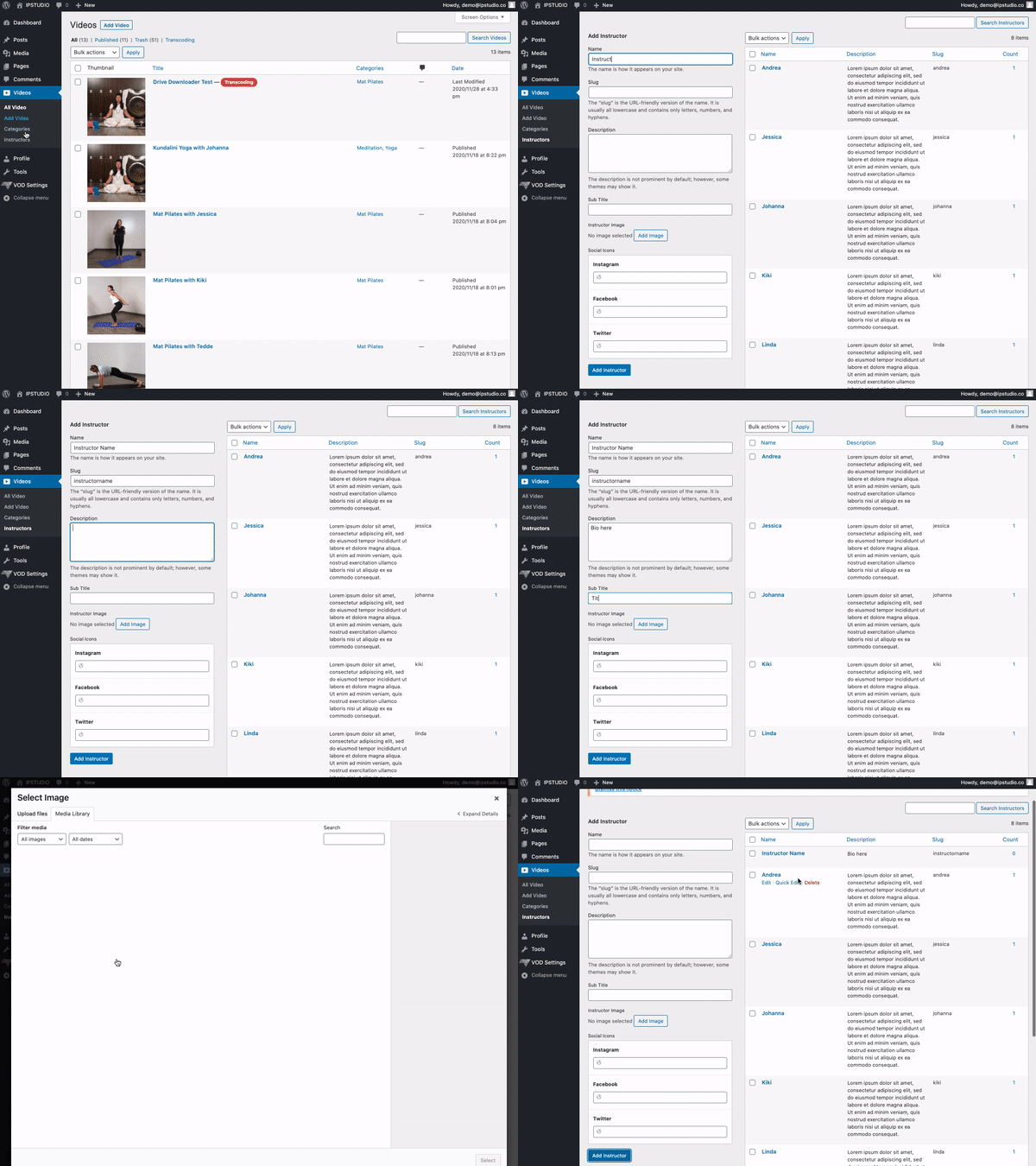
To access the Instructor Module head over to ‘Videos’, click ‘Instructors’
- Update: To edit existing instructor profiles, head over to their name and click ‘edit’ to upload a photo, add their bio and socials.
- Add: fill in the Instructor fields under “Add Instructor”
- Delete: To delete an existing instructor head over to ‘Videos’, click ‘Instructors’ then hover over the instructors name and select ‘delete’
Note: Only Instructors who have videos in your library will be featured on your Instructor Page.