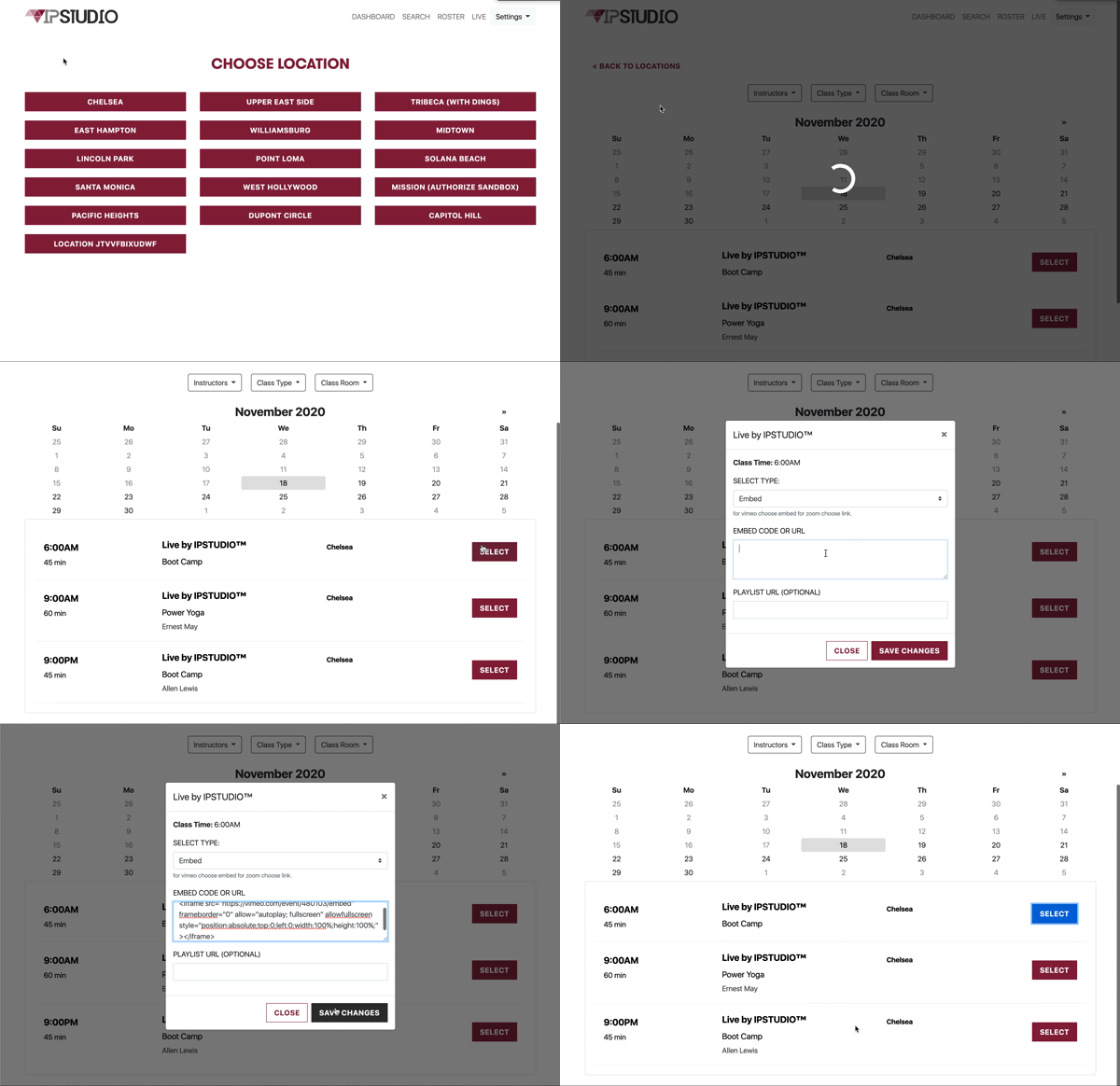
Login to your Live by IPSTUDIO™ CRM at YourSubDomain.ipstudio.co
- Select ‘Live’
- Select a location
- Select a class
- Insert a live event’s embed code or link
- Save & close
- repeat this step for each Live class
Click here to see detailed instructions on getting started with Live by IPSTUDIO™